How Headknot works
One loop gradually constructs a graph showing what your team knows; the other reads from that graph when you ask a question.
 Sonu Nigam· FounderAug 25, 20264 min read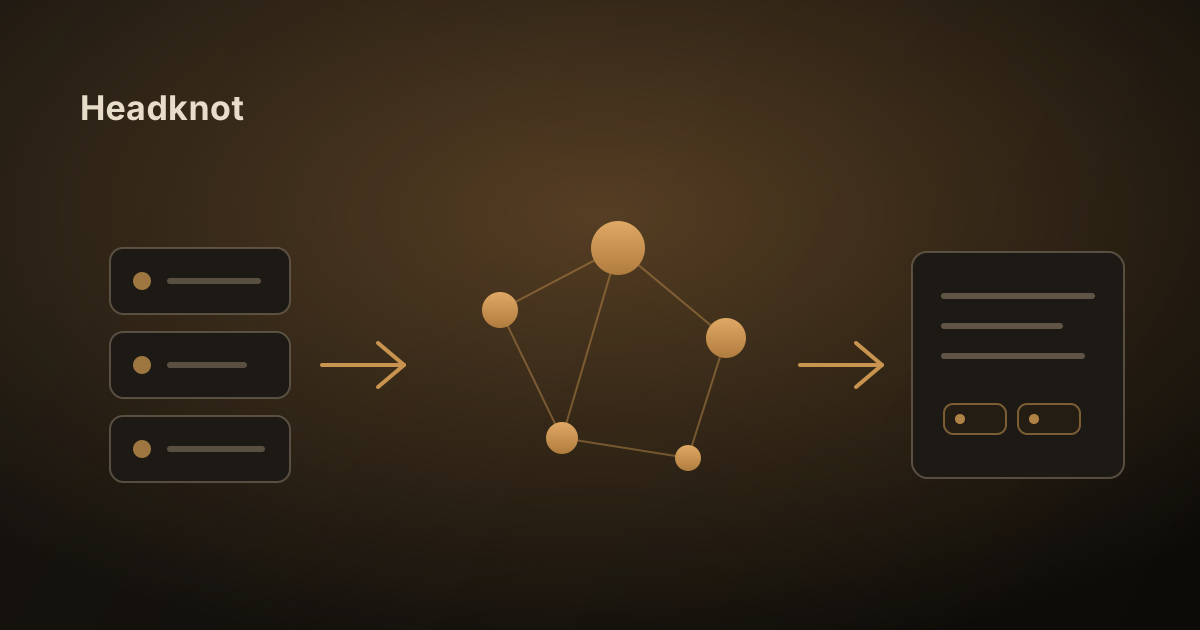
Headknot has two halves.
One runs constantly in the background, reading your team's content and building a picture of what you all know. The other runs when a question is asked, and reads from that picture.
All the rest is detail; here is the entire sequence from start to finish.
1. You connect a source, or you add one directly
There are two ways content gets in.
Connect a tool you already work in — Google Drive, Notion, GitHub, Jira, Confluence, Linear, Coda or GitBook. Headknot reads from these where they sit, so nothing has to be moved or copied out of its home.
Or add the content directly. Upload files — PDF, Word, Markdown, plain text, CSV, HTML, or a zip of them — or point the web crawler at a public URL. This is for the material that doesn't live in a connected tool: a signed contract, a spec someone emailed over, a vendor's documentation site. Scanned image-only PDFs are turned away with a message rather than taken in as empty pages.
A connected source isn't a one-off import. Headknot continues to watch, and when a document is edited or a thread continues, it only re-reads the parts that changed. Your Notion page remains the source of truth; the graph simply remains up to date with it. An uploaded file is the version you gave it, until you replace it.
Everything is restricted to a workspace, and content in one workspace never leaks into another.
2. All texts are read twice
The initial step is for finding. The text is indexed for keyword searches and converted into an embedding, so a passage can be found either by referring to the words it contains or by referring to its meaning.
The second stage is concerned with understanding. The language model reads over the material and extracts three things:
- Entities — the people, projects, customers, services and concepts referred to.
- Claims — statements about those entities, each stamped with when it was true and what it came from.
- Relationships — the way in which those entities are connected to one another.
There is a resolution step in this one which carries out more work than it appears to. If "Sam", "Sam O." and a Slack handle aren't made into a single person, you end up with three. That mistake is made silently, and it fractures the graph.
3. The graph is the result
The nodes are the entities and the edges are the relationships, with claims attaching to them together with a date.
That's the reason why this isn't simply search combined with extra steps. Because claims build up over time instead of erasing one another, the graph retains its own history. What is our refund window and what was our refund window in March are the same question with a different date attached.
And anything that is added to the graph must have a pointer indicating the specific content it came from. That constraint is what ensures everything downstream can be justified.
4. A question follows one of two paths
Ask something like:
"What decision was made regarding the refund window, and who owned that call?"
Both routes start the same way: work out what's actually being asked, resolve the names in it to real entities in your graph, and pull candidate evidence — keyword and semantic together, scoped to your workspace. After that, things differ.
| Mode | What it does | Best for |
|---|---|---|
| Semantic Search | One retrieval pass, one grounded answer | "What does X say", specific facts, single-document questions |
| AI Reasoning | Queries the graph, reads what came back, works out what's still missing, queries again — for a bounded number of steps | "How many", "what changed", "which things connect to this" |
Reasoning is the slower one, and it earns that by being able to answer questions no single document contains.
5. When the answer comes it is accompanied by evidence, or it doesn't come at all
Prior to any writing taking place, the evidence that has been retrieved is assessed. If it is too meagre — nothing relevant came back, no entities resolved — Headknot stops there and tells you it doesn't have enough, rather than putting together a confident answer from the most readily available material.
If it does reply, the reply will give the names of the documents it has based its response on. You can access them.
What it deliberately doesn't do
- It doesn't carry out any actions. It doesn't write back to your tools, doesn't send messages, and doesn't run any workflows. It answers and cites. You decide.
- It won't take the place of your existing tools. People won't stop using Slack because of it.
- It isn't a general assistant; if you ask it a question that lies outside your workspace then it has nothing to say, by design.
That's the system: connect or upload your sources, let the graph form, pose your question in simple terms, and follow the citations when the answer is important.